
24 lines
No EOL
1.4 KiB
Text
24 lines
No EOL
1.4 KiB
Text
|
|
MatterControl now includes support for temperature towers which can be great at helping dial in your filament temperature settings.
|
|
|
|
## How To
|
|
|
|
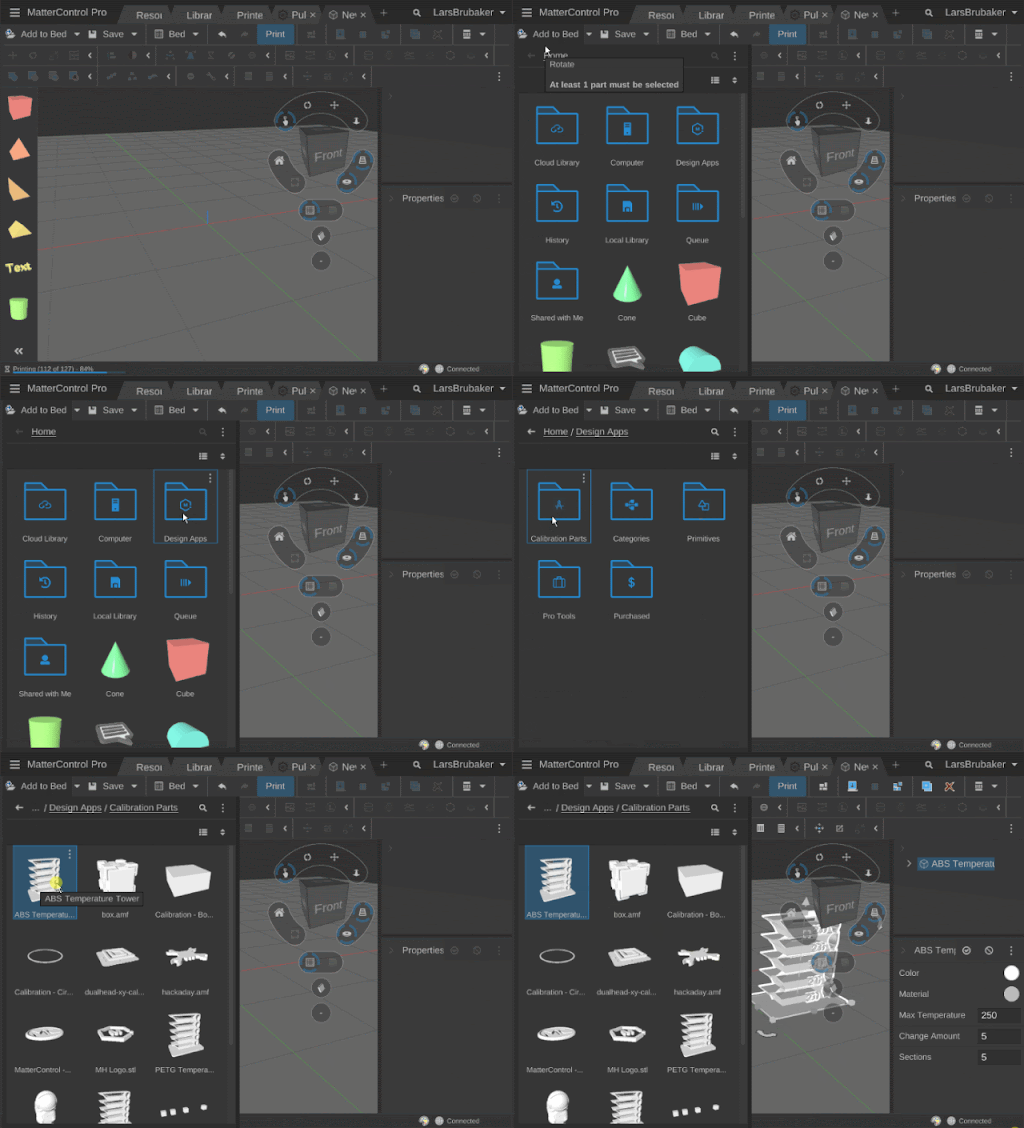
You can find the temperature tower in your Library.
|
|
|
|
|
|
|
|
There are temperature towers setup for ABS, PLA and PETG, but if you need a custom tower or want to change the temperatures beyond the default you can easily adjust one of the provided towers.
|
|
|
|
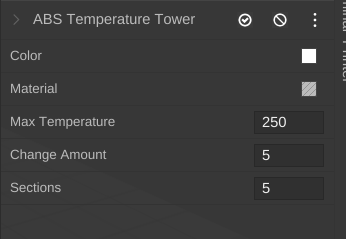
After dragging it to the bed you can select it and change what temperature it starts at, how much the temperature changes each time and how many times it changes.
|
|
|
|
|
|
|
|
You can also directly add a temperature change object to your print to create your own temperature towers or effects.
|
|
|
|
This is the object to add to the bed to customize your own settings.
|
|
|
|
|
|
|
|
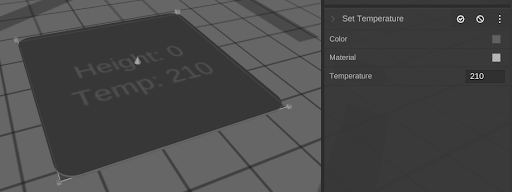
You can set the height by moving it up and down and set the temperature to change to in the properties panel.
|
|
|
|
 |