
19 lines
1,021 B
Text
19 lines
1,021 B
Text
Image Converter can help you easily build parts from images
|
|
|
|
### Add Image Converter
|
|
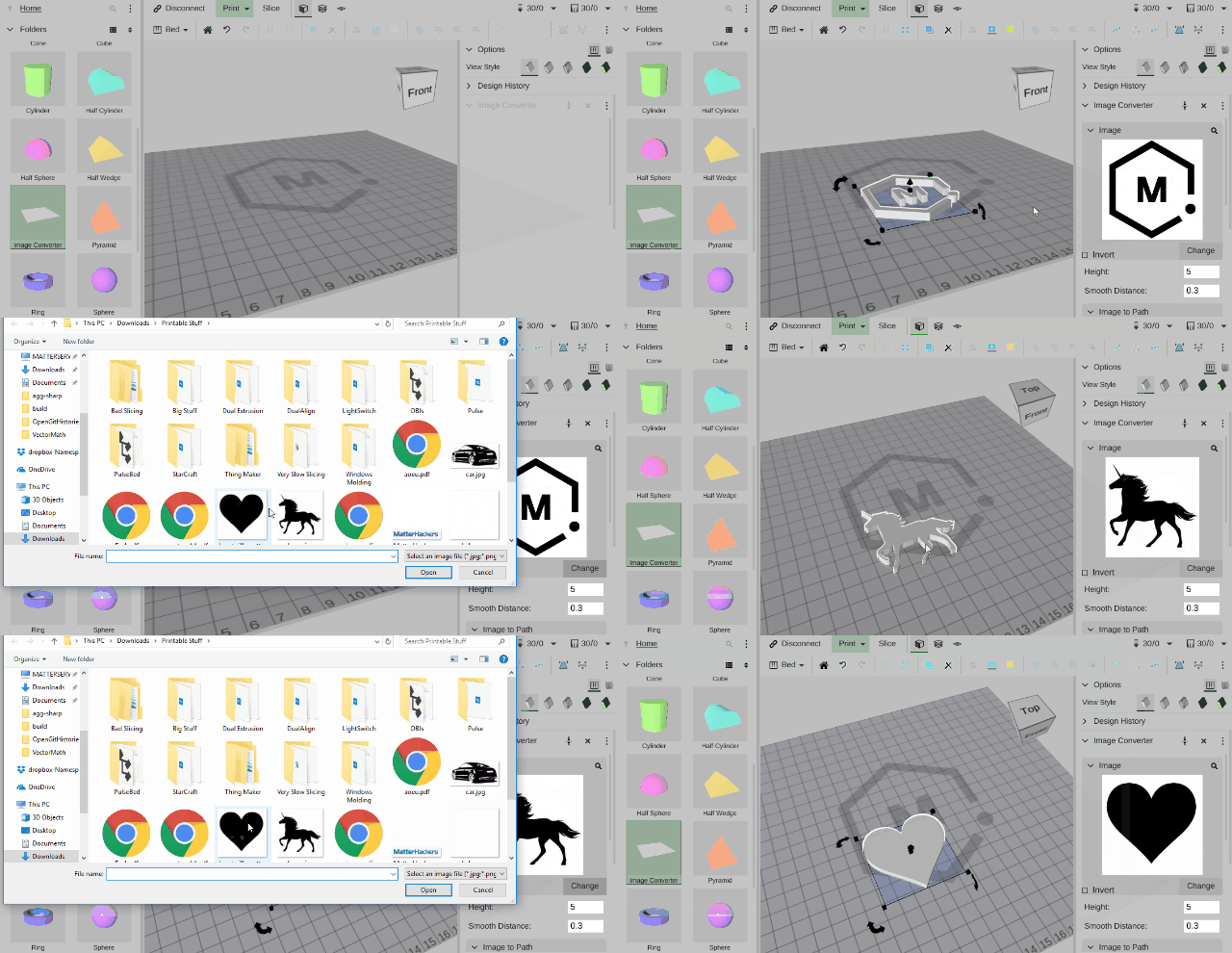
- Drag Image Converter from the side bar to the bed
|
|
- Change the image that it is using by clicking 'Change'
|
|
|
|
### Change the height
|
|
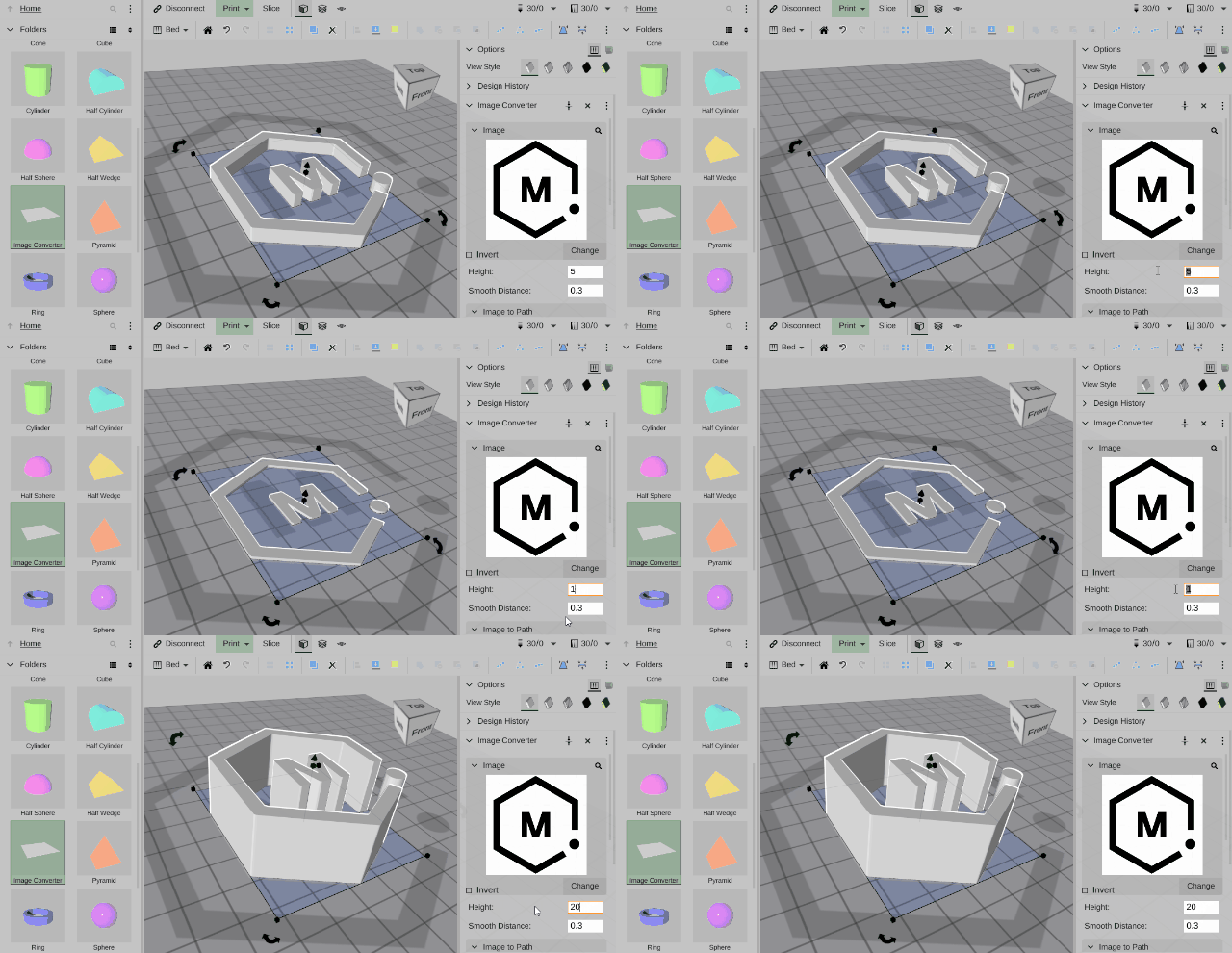
- Once you have an image on the bed you can change its height
|
|
|
|
### Search for new images
|
|
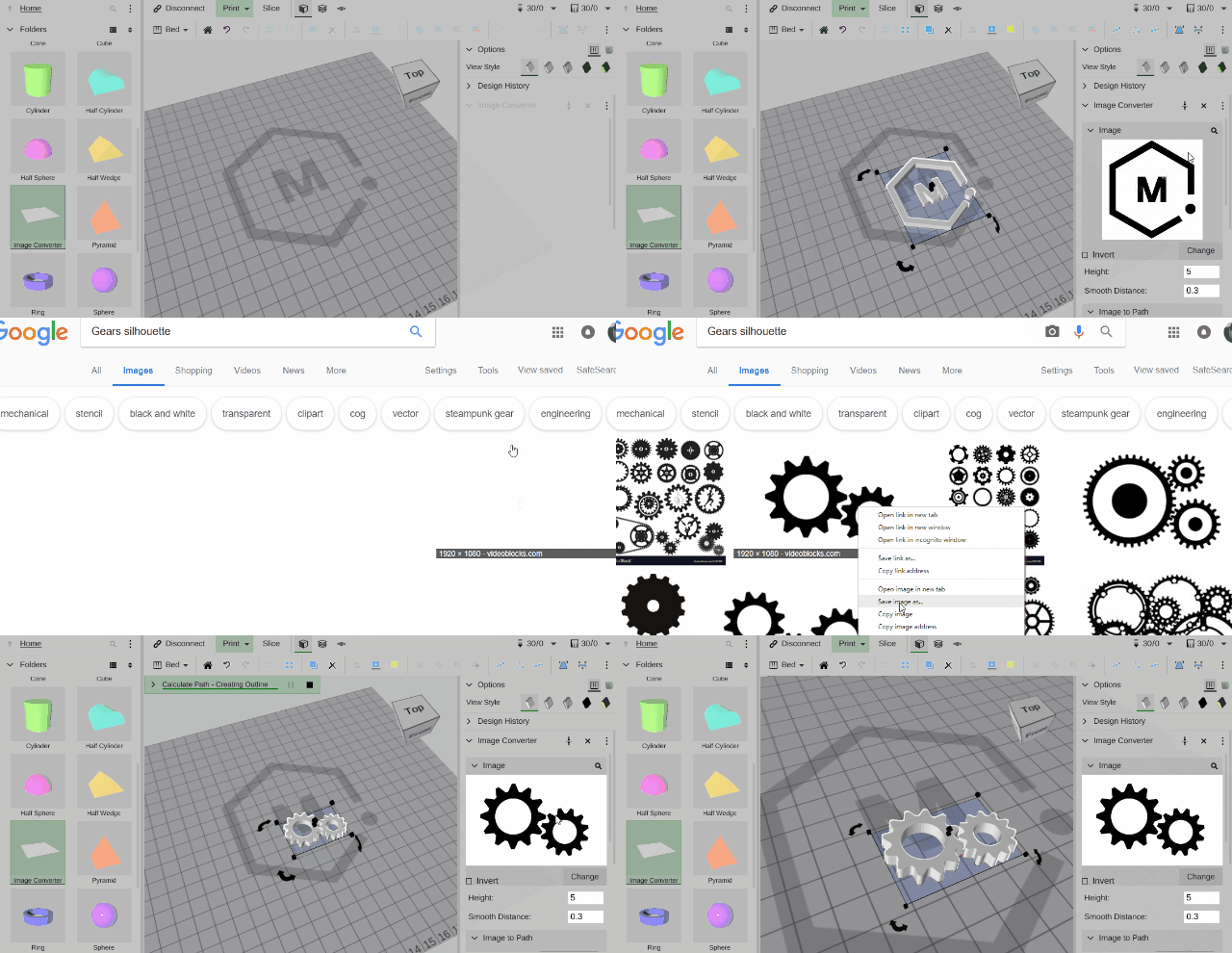
- Image converter can also help you search Google for images you might want to use (make sure you have permission for any image you use).
|
|
|
|
### Add a Base
|
|
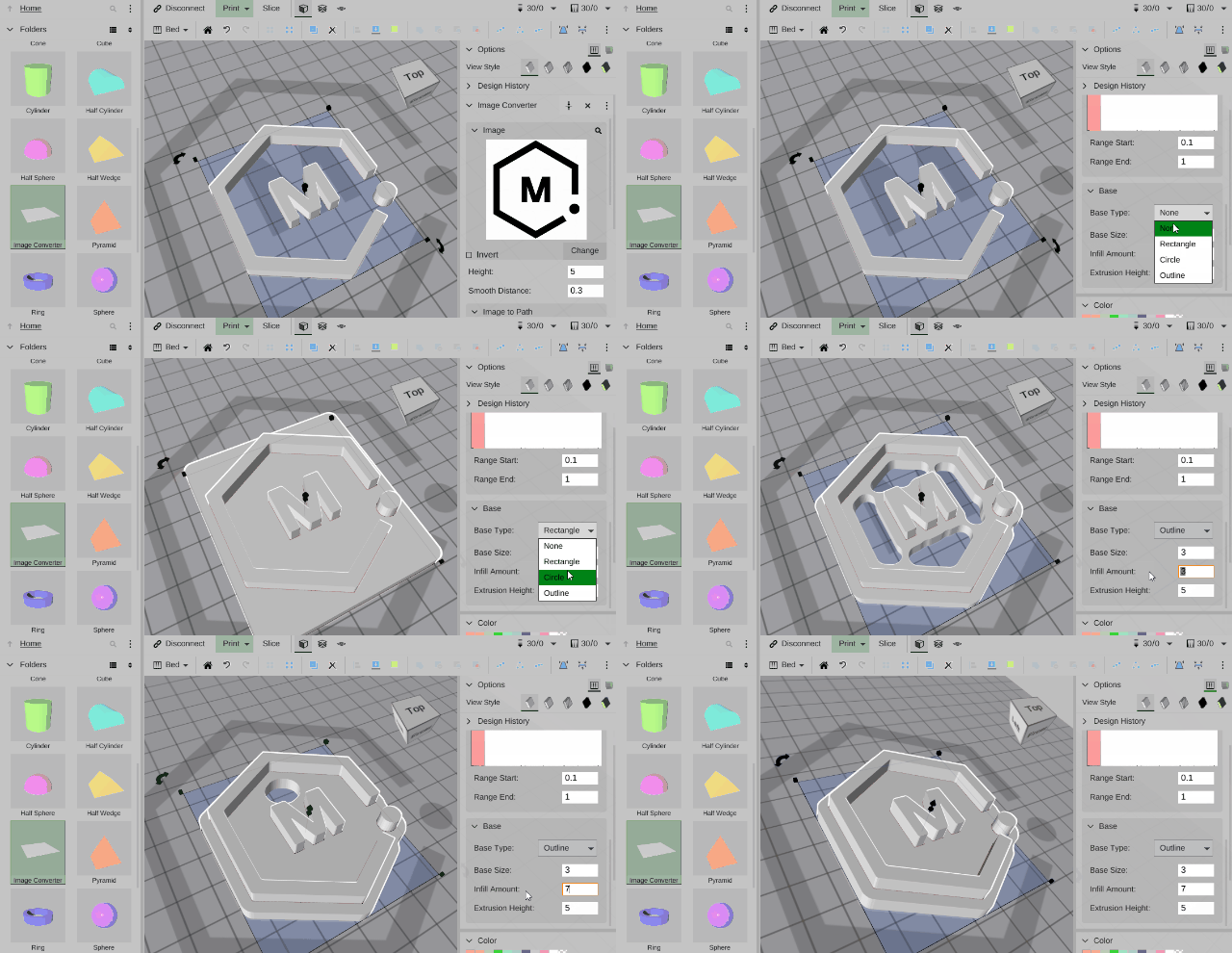
- Once you have the image you want you can easily add a base to your creation.
|
|
|
|
### Images can also be used directly
|
|
- You can also directly drag images to the bed and use the tools you find in the right click menu to create all the features (and more) of Image Converter.
|
|
|
|
Explore and have fun, the only limits are your imagination
|