
14 lines
1.2 KiB
Text
14 lines
1.2 KiB
Text
Follow these steps to get your new printer up and running in no time.
|
|
|
|
1. Navigate to the 'Start' Page
|
|

|
|
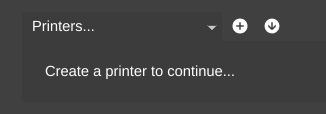
1. Click the + button to select and add a new printer
|
|
|
|
1. Complete the printer selection wizard to add a new printer
|
|

|
|
1. Your new printer should now be selected in the printer selection area
|
|

|
|
1. Click on 'Empty Bed' (or an existing bed if you have one) to open it up in the printer view
|
|
1. The connection wizard will open up and help you connect to your printer
|
|

|
|
1. MatterControl will also run any setup wizards that are required for your specific printer
|