
44 lines
No EOL
2.4 KiB
Text
44 lines
No EOL
2.4 KiB
Text
MatterControl is an all-in-one desktop 3D printing software application created by MatterHackers, Inc. You can use it to create, organize and manage 3D prints. MatterControl features an intuitive approach to everything you need to do to be successful with 3D printing
|
|
|
|
# Sign in
|
|
|
|
# Select or Create Your Printer
|
|
|
|
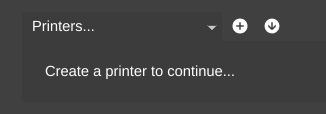
1. First you need to select or create your printer
|
|
|
|
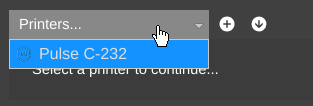
1. If you have an existing printer your will find it in the list where 'Printers...' is shown
|
|
|
|
1. You can now select an 'Empty Bed' to connect to your printer and start adding things to plate
|
|

|
|
1. If you do not have an existing printer your can click the + to create a new one
|
|

|
|
|
|
# Connecting to a Printer
|
|
|
|
* Once you have selected your printer and opened it up to an empty bed, MatterControl will automatically help you connect and get your printer configured for your first print.
|
|
|
|
# Selecting an Object to Print
|
|
|
|
For your first print we will add Phil-A-Ment (the MatterHackers mascot) to the bed
|
|
|
|
1. You can find him in the library under Calibration Parts
|
|

|
|
|
|
# Starting the Print
|
|
|
|
1. Now that you have a part on the Bed you can click 'Print'
|
|

|
|
1. This will show the quick printing options, don't worry about these for now.
|
|
1. Click 'Start Print'
|
|
|
|
**You should now be up and printing**
|
|
|
|
# Getting Back to Help
|
|
|
|
* You can come back to the help at any time by clicking on the 'MatterControl' menu and selecting 'Help'.
|
|

|
|
|
|
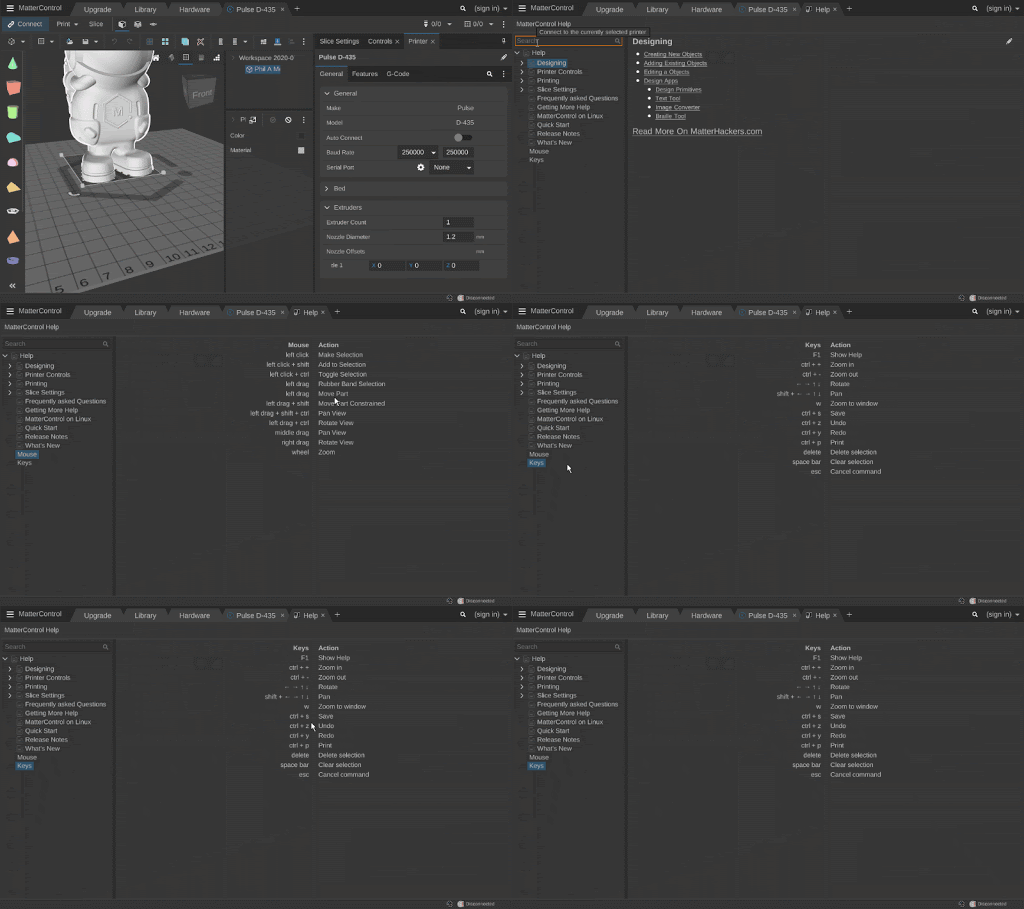
# Getting Help With Shortcuts
|
|
|
|
|
|
|